
Research and price check: 4 November 2026. Prices are in USD unless stated otherwise.
A beautiful portrait, a faithful product image, a readable advertisement and a consistent storyboard are different jobs. Buying one subscription and expecting it to handle all four equally well is an expensive way to discover those differences.
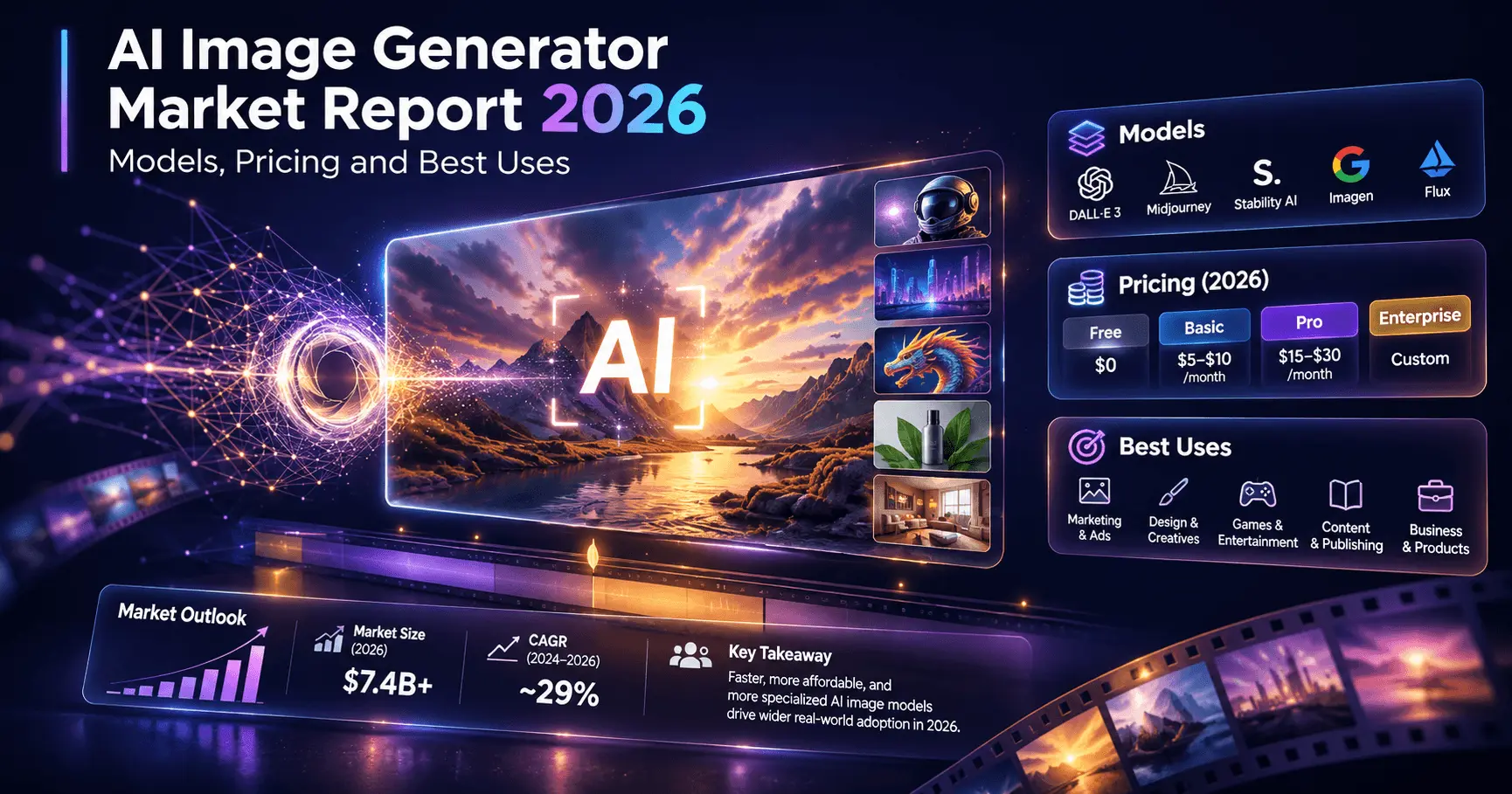
This report compares Nano Banana, GPT Image, Seedream, FLUX, Runway Frames and Gen-4 Image, Grok Imagine, Luma, Higgsfield Soul, Ideogram, Wan and Stable Diffusion. Midjourney is included as an additional subscription-based creative option. The focus is practical: what each family offers, where to test it first, how billing works and how to select a useful production stack.
Recommended starting point: compare Nano Banana 2.1 and GPT Image 2.5 on your everyday briefs; add Ideogram for design and editing tests, Soul for people-focused creative work, and Runway when still images feed a video workflow. Consider FLUX or Stable Diffusion when deployment control matters. These are editorial shortlists, not results of a controlled image benchmark.
The AI image generator market in 2026
The product landscape shows three overlapping directions: conversational image editors, creative platforms that combine several models, and deployable model ecosystems. This is a qualitative market assessment. It does not assign market shares or estimate industry revenue: the sources used here do not establish comparable adoption or sales figures across these products.
Editing is becoming a central buying criterion
Google positions Nano Banana around conversational creation and revision. OpenAI offers a GPT Image variant specifically aimed at editing precision. Ideogram provides a dedicated Precise Edit endpoint. Together, these product choices suggest that vendors increasingly compete on how well an image survives revision, alongside the quality of its first generation. Google documentation; OpenAI model documentation; Ideogram 4.5.
That matters commercially. A client may approve the composition and then request a different jacket, a new background or a corrected label. If that revision alters the face, product shape or lighting, the team must repeat work that was already approved. Evaluate preservation of approved details as a separate purchasing criterion.
Platforms are becoming model distributors
Runway's developer catalog includes external image models alongside its own. Higgsfield also exposes models from multiple vendors. A platform can therefore compete on its editor, presets, billing and workflow even when the image engine comes from another company. Runway catalog and pricing; Higgsfield image catalog.
For buyers, this makes the exact combination of platform, model and settings the meaningful unit of comparison. Two websites offering the same model can expose different controls, apply different defaults and charge differently for reference images.
The opportunity is in finished assets
Generation is only one part of a commercial deliverable. Selection, retouching, typography, resizing, export and client approval still consume time. A practical business should sell a reliable result: a coherent campaign, approved product imagery or a usable sequence of video keyframes. Its internal purchasing decisions should follow the same logic.
Understand the names before comparing prices
A model generates or edits the image. A platform provides the interface and surrounding tools. A model family can contain several generations and quality tiers. The following naming distinctions prevent misleading comparisons.
| Common name | Meaning in this report |
|---|---|
| Nano Banana | Google's Gemini image family; distinguish 2.1, 2 Lite, 2 and Pro. |
| GPT Image | OpenAI image models; distinguish 2.5 Flare, 2.5 Sunburst and GPT Image 2. |
| Seedream / Seedance | ByteDance's image / video families respectively. |
| FLUX | Black Forest Labs' family; identify the exact image generation or editing variant. |
| Runway Frames | Runway's Frames page now identifies the product as Gen-4 Images. |
| Grok image | Grok Imagine image models, including grok-imagine-image-2.0. |
| Luma | The platform and vendor; this report covers current Uni models and older Photon pricing separately. |
| Higgsfield Soul | Higgsfield's own image family, within a broader platform that also hosts external models. |
| Wam | Interpreted here as Wan, Alibaba's model family. This assumption does not establish a separate “Wam” product. |
| Stable Diffusion | A model ecosystem. Self-hosting and Stability's hosted APIs have different economics. |
Naming references: Google, ByteDance, Runway and the vendor documentation linked in each profile.
Which AI image generator is best for each task?
The table below is an editorial selection guide based on documented features and workflow fit. “First shortlist” means where to begin a practical test. It does not imply that a model outperformed every competitor in a measured benchmark.
| Task | First shortlist | Useful alternative | Decisive test |
|---|---|---|---|
| General marketing visuals | Nano Banana 2.1; GPT Image 2.5 Flare | Seedream 5.0 Pro | How many outputs satisfy the whole brief? |
| Precise image revisions | GPT Image 2.5 Sunburst; Ideogram 4.5 | FLUX 3 Image; Wan 2.7 | Do approved areas remain intact? |
| People, fashion and lifestyle | Higgsfield Soul 2.0 | Nano Banana; GPT Image | Identity, hands, fabric and believable lighting. |
| Product scenes and materials | Seedream 5.0 Pro; GPT Image | FLUX; Nano Banana | Packaging shape, label fidelity and reflections. |
| Posters and text-heavy concepts | Ideogram; Nano Banana Pro | GPT Image; Seedream | Exact wording, hierarchy and readability. |
| Cinematic keyframes | Runway Gen-4 Image | Luma Uni; Soul Cinema | Consistency across the complete shot sequence. |
| Many inexpensive candidates | Soul 2 API for people; Grok Imagine for a general baseline | Gen-4 Image Turbo; FLUX.2 klein | Accepted outputs per dollar, at sufficient resolution. |
| Local deployment and customization | Stable Diffusion; suitably licensed FLUX weights | Hosted API if operations are too costly | Control gained versus engineering overhead. |
| Multi-image fusion and product series | Wan 2.7; FLUX 3 Image | Luma Uni; Nano Banana | Correct reference roles and subject preservation. |
| Visual exploration and moodboards | Midjourney | Soul; Runway | Useful creative range within the available time. |
Use the profiles below to understand why a model belongs on a shortlist. For exact charts, small legal text or a final editable logo, include conventional design tools in the workflow instead of judging a raster generator as if it were a complete publishing system.
Leading AI image models and platforms reviewed
1. Nano Banana: a practical general-purpose starting point
Google's current documentation identifies Nano Banana 2.1 as its main efficient image model, with 1K, 2K and 4K output, conversational editing and search grounding. Pro targets more demanding visual instructions. Lite prioritizes speed and cost, with less emphasis on multiple references and sequential edits. Source: model selection guide.
Editorial recommendation: start with 2.1 for everyday campaign concepts and reference-based work. Compare Pro on the briefs where a cheaper option repeatedly misses a specific constraint. Treat every edit as a new approval event: inspect the face, product and background together, even when the requested change concerns only one of them.
2. GPT Image: separate everyday generation from precision editing
OpenAI positions GPT Image 2.5 Flare for fast everyday generation and Sunburst for workflows requiring greater editing precision. Both accept text and images and offer multiple quality settings. Their direct API uses token pricing; identical token rates do not guarantee identical costs per finished image. Flare documentation; Sunburst documentation.
Editorial recommendation: test Flare as a routine creative assistant and Sunburst on demanding revisions. For a product campaign, judge whether the model changes only the requested material, scene or lighting. Do not pay for maximum quality until the composition is approved; higher detail cannot repair a fundamentally wrong concept.
3. Seedream: a candidate for composed commercial imagery
ByteDance's Seedream 5.0 Pro announcement emphasizes layout, text rendering, structural coherence and interactive editing. Its described controls include selected regions, material changes and multi-image fusion. These are vendor-described capabilities, rather than independent proof of superiority. Source: Seedream 5.0 Pro announcement.
Editorial recommendation: include it in product-scene and campaign-layout trials. Brief glass, liquid, metal and fabric explicitly, then inspect whether the lighting and reflections make physical sense. Separate product accuracy from artistic appeal: an attractive bottle with the wrong cap or invented wording is still a failed commercial result. Seedream creates images; Seedance belongs to the video stage.
4. FLUX: useful choices for production and deployment control
FLUX 3 Image supports multi-reference composition, with up to ten references, and native high-resolution output. The older FLUX.2 family also remains relevant: its variants address efficiency, production use and configurable generation. Prices and licenses must be checked at the individual variant level. FLUX 3 Image; FLUX family guide.
Editorial recommendation: shortlist FLUX when you need repeatable reference-driven asset production or are deciding between hosted and local infrastructure. Label each reference by its role. Do not assume that permission to download a checkpoint automatically grants every commercial deployment right; select the license alongside the model.
5. Runway Frames and Gen-4 Image: evaluate the whole video workflow
Runway's Frames announcement now states that Frames is Gen-4 Images. The original positioning focused on coherent style and visual world-building. Current API pricing distinguishes Gen-4 Image from its lower-cost Turbo variant. Frames naming and positioning; API pricing.
Editorial recommendation: test Runway for storyboards, scene exploration and keyframes intended for later animation. The useful output is a set of images that belongs to one sequence. Compare a wide shot, medium shot and close-up of the same subject; a single impressive frame tells you little about continuity across an advertisement.
6. Grok Imagine: a straightforward API price baseline
The current price table distinguishes grok-imagine-image from grok-imagine-image-2.0. The base model lists a $0.02 output price; Image 2.0 varies by quality and resolution, with reference inputs charged separately. Source: official Imagine API pricing.
Editorial recommendation: include Grok in a cost-sensitive comparison for social concepts and general illustrations. Its role here is a useful baseline with explicit billing, not a claim that it wins on anatomy, typography or brand fidelity. Retain it if its accepted-image rate on your actual briefs beats the alternatives.
7. Luma: current Uni models and the older Photon family
Luma's current Agents documentation describes Uni-1 and Uni-1-Max as image generation and editing models. Uni supports references, style transfer and multi-panel work. Older Photon documentation remains online, but belongs to a different model and API context. Current Luma documentation; Photon documentation.
Editorial recommendation: shortlist Uni for multi-reference visual development, particularly if Luma is already part of your production process. Test whether each input contributes the intended attribute. Use Max selectively on final assets. The current credit-based price table below takes precedence over older dollar figures still visible in indexed pages.
8. Higgsfield Soul: a focused option for people and fashion
Soul's documented workflow emphasizes photographic style. Soul 2.0 adds reusable Moodboards, Soul HEX color control and Soul ID character features; Soul Cinema focuses on cinematic visuals. The consumer guide also states that attaching a reference image disables its prompt field in these Soul workflows, a meaningful interface constraint to check before buying. Source: Soul user guide.
Editorial recommendation: try Soul for editorial portraits, fashion concepts and recurring social characters. Test the same person across contrasting poses and lighting. A consistent face is useful only if the entire set also meets the brief. Consumer-interface behavior should not be assumed to match every API endpoint.
9. Ideogram: include both design and precise editing in the test
Ideogram 4.5 offers Generate and Precise Edit endpoints. Generate accepts up to five optional references. Pricing changes with mode and quality: high-quality reference generation and high-quality editing cost more than prompt-only generation. Its product page illustrates typography changes, product edits and architectural revisions. Source: Ideogram 4.5 features and pricing.
Editorial recommendation: shortlist it for posters, campaign graphics and targeted revisions. Use an exact-copy brief containing a headline, numbers and punctuation. Inspect what changed outside the intended area as carefully as the new text. Finish publication-critical wording in editable type where later updates, localization or exact brand fonts are required.
10. Wan: distinguish its image models from video offerings
Alibaba documents Wan 2.7 Image and Image Pro for regional edits and coherent multi-image work. Its image editing guide covers fusion, subject preservation and selectable regions. Alibaba's prices also vary by deployment region, so a Singapore list price should not be presented as a universal rate. Wan image editing; Regional pricing.
Editorial recommendation: consider Wan for product series and reference-combination tests, especially within an existing Alibaba deployment. Compare the standard and Pro variants on difficult preservation tasks before paying the higher rate. The original requested name “Wam” is treated as a likely reference to Wan throughout this report.
11. Stable Diffusion: the infrastructure decision
Stability's hosted catalog includes Stable Diffusion 3.5 variants and Stable Image services. Self-hosting is a separate route: the Community License covers eligible users and organizations below the stated $1 million annual-revenue threshold, while commercial enterprise requirements need separate review. Hosted service pricing; License terms and eligibility.
Editorial recommendation: choose this ecosystem when the ability to control deployment and customization is itself valuable. Budget for setup, maintenance and quality assurance. A hosted service may be more economical for a small irregular workload, even when a local model has no per-call vendor charge.
12. Midjourney: a subscription option for creative exploration
Midjourney uses subscriptions and GPU-time allowances. Standard and higher plans include relaxed image generation; privacy-oriented Stealth Mode is reserved for Pro and Mega. This is a different purchasing model from an API with a fixed image price. Source: Midjourney plans.
Editorial recommendation: include it when your main task is exploring visual directions and assembling moodboards. Judge how often it produces an idea worth developing, then account for the effort required to turn that idea into a precise client deliverable. Do not convert a monthly fee into a guaranteed per-image price without measuring actual usage.
AI image generation prices compared
All prices below were checked against official vendor or provider sources available on November 4, 2026. Taxes, currency conversion, negotiated discounts and unrelated workflow costs are excluded. A provider's “1K” or “2K” label is retained as published; those labels are not a guarantee of identical dimensions or computational work across models.
These are billing comparisons, not equal-quality benchmarks. Output-only token estimates exclude input charges. A platform resale price is identified as such. Fixed image rates can still depend on quality, resolution and reference count.
| Model / route | Price per image | Setting and qualification | Source |
|---|---|---|---|
| Nano Banana 2.1 — Google | $0.0336 / $0.0504 / about $0.113 | 1K / 2K / 4K image output only; input, thinking and applicable grounding are extra. | |
| Nano Banana Pro — Google | $0.134 / $0.24 | 1K–2K / 4K output only; additional usage charges apply. | |
| GPT Image 2.5 — OpenAI | Usage-based; no universal fixed image price | Per million tokens: $5 text input, $8 image input, $30 image output. Cache and batch rates differ. | OpenAI |
| GPT Image 2.5 — Runway API | $0.02 / $0.03 / $0.11 | 1K square, low / medium / high; each reference adds $0.01 per generated image. | Runway |
| Seedream 5.0 Pro — Runway API | $0.05 / $0.09 | 1K / 2K. Provider resale price, not a universal ByteDance direct rate. | Runway |
| FLUX 3 Image — BFL | $0.048 / $0.10 / $0.607 | 1K / 2K / 4K list rates; references included within supported limits. October launch discount has ended. | BFL |
| FLUX.2 klein 4B — BFL | From $0.014 | Starting rate; megapixel billing affects larger outputs. | BFL help |
| Runway Gen-4 Image Turbo | $0.02 | Per image through Runway API. | Runway API docs |
| Runway Gen-4 Image | $0.05 / $0.08 | 720p / 1080p through Runway API. | Runway API docs |
| Grok Imagine Image — direct | $0.02 | Listed 1K or 2K output; each input image costs $0.002. | Imagine API |
| Grok Imagine Image 2.0 — direct | $0.04–$0.08 | 1K low to 2K medium; image inputs cost $0.01 each. | Imagine API |
| Luma Uni-1 — Agents API | $0.042 at default list conversion | 14 credits, 2K text-to-image; 15 credits ($0.045) for an edit or one reference. | Credits; conversion |
| Luma Uni-1-Max — Agents API | $0.102 at default list conversion | 34 credits, 2K text-to-image; 35 credits ($0.105) for an edit or one reference. | Credits; conversion |
| Higgsfield Soul 2 — direct API | $0.0032 / $0.0057 | 720p / 1080p on the documented standard endpoint; separate from consumer-plan credits. | Higgsfield endpoint |
| Ideogram 4.5 — direct API | $0.03 / $0.06 / $0.10 | Prompt-only low / medium / high at listed 1K–2K sizes. High with references or Precise Edit: $0.22. | Ideogram pricing |
| Wan 2.7 Image / Image Pro | $0.03 / $0.075 | Alibaba Model Studio, Singapore international deployment. Other regions differ. | Alibaba |
| Stable Diffusion 3.5 — hosted | $0.025 / $0.035 / $0.04 / $0.065 | Flash / Medium / Large Turbo / Large respectively. | Stability |
| Stable Image Core / Ultra | $0.03 / $0.08 | Hosted generation services; additional edits and upscaling have separate rates. | Stability |
| Self-hosted models | No universal per-image rate | GPU time, utilization, maintenance and any required license determine actual cost. | Calculate for your deployment |
Three details that change the comparison
GPT Image's token rate is not an image quote. The direct cost depends on actual token usage. OpenAI explicitly warns that the GPT Image 2 calculator does not estimate GPT Image 2.5 consumption. Use billed usage from representative requests; do not transplant older model estimates. OpenAI pricing explanation.
Luma's current list conversion is $0.003 per credit. Fourteen credits therefore equal $0.042, while 34 equal $0.102. Your plan, contract or overage rate can differ. The older Photon page advertises $0.015 per 2MP image and Photon Flash $0.004; those are legacy Photon figures, not current Uni prices or a promise of availability in every interface. Luma conversion rules; Photon page.
Cheap quality modes can be task-specific. Ideogram's $0.008 very-low mode is listed for reference generation and Precise Edit, not unrestricted prompt-only generation. Listing it as the general text-to-image price would create a misleading comparison. Ideogram API price table.
Subscriptions, credits and what you actually receive
Use an API when you want usage-based automation and a clear bill per request. Use a creative subscription when its interface, relaxed generation or editing tools save enough time to justify a recurring payment. The subscription fee alone cannot tell you which route is cheaper.
| Platform | Published plan example | How to interpret it |
|---|---|---|
| Runway Standard | $15 monthly, or $12/month equivalent billed annually; 625 credits/month. | Runway illustrates this as 78 Gen-4 1080p images if the allowance is spent on that task. Video use reduces the image allowance. Source. |
| Ideogram Plus / Pro | $20 / $60 monthly; annual equivalents $15 / $42, with $180 / $504 annual billing. | Listed priority allowances: 2,400 / 7,500 credits. A credit is not automatically one image; slow-mode access has a different workflow value. Source. |
| Midjourney | Basic $10; Standard $30; Pro $60; Mega $120 per month. | GPU-time allowances and generation modes determine capacity. Annual billing is discounted, with upfront commitment. Source. |
| Higgsfield | Consumer plans mix credits and model-specific allowances; compare the current account offer. | The Soul guide says the Generate button shows the credit charge. Do not convert the API price above into a claimed subscription allowance. Source. |
For a simple credit plan, calculate the theoretical image allowance as included credits divided by credits per image. Then reduce it for video generation, upscale operations and other billable tasks. Calculate the effective price using the images you actually produce, not the maximum you could have produced.
For example, a hypothetical $30 plan used for 600 images costs $0.05 per generated image. If you use it for only 100, the effective cost is $0.30. Neither calculation yet tells you the cost of an approved asset. Before choosing annual billing, run one month of real work and record usage.
The metric that matters: cost per usable image
A low generation price is useful only when the outputs satisfy the brief. The most practical production metric is:
Cost per accepted asset = (generation + paid edits + upscaling + allocated subscription or infrastructure cost + review and retouching labor) ÷ accepted assets.
Use either the relevant subscription allocation or API expenditure for a generation; avoid counting the same expense twice. An accepted asset should pass a written definition of quality, including brand accuracy, dimensions and intended use.
| Workflow | Generation cost | Acceptance rate | Expected generation spend per accepted image |
|---|---|---|---|
| A: inexpensive but inconsistent | $0.02 | 10% | $0.20 |
| B: more expensive, more reliable | $0.08 | 50% | $0.16 |
| C: premium, very high acceptance | $0.20 | 80% | $0.25 |
These figures use price divided by acceptance rate and exclude labor. Workflow B beats A on generation economics despite costing four times more per attempt. Workflow C might still win if it substantially reduces review or retouching. The example illustrates a decision method, not a predicted outcome for any named model.
Labor can dominate. At an assumed internal rate of $30 per hour, four minutes of manual correction costs $2. That is much larger than the difference between a $0.03 and $0.10 generation. Prioritize models that reduce the corrections your team performs most often.
For monthly planning, estimate both candidates and accepted assets. If a campaign needs 100 approved images and your measured acceptance rate is 25%, budget for approximately 400 candidates before optional revisions. Add contingency for unusually difficult subjects rather than assuming every brief behaves like your easiest example.
When self-hosting makes economic sense
Suppose a hypothetical GPU environment costs $300 per month. At 10,000 generated images, infrastructure alone averages $0.03 each; at 1,000 it averages $0.30. Add engineering time, monitoring, storage and any required license. These assumed numbers are not a hosting quote.
Local deployment can still be worth paying for when it gives you necessary control. Evaluate that benefit explicitly. Do not describe a model as “free” when your business must purchase or operate the machinery that runs it.
Recommended workflows for commercial projects
Product photography and e-commerce
Start with a clean, approved product photograph. Supply the product and environment as distinct references, and define which image controls the shape, label, lighting and composition. Test GPT Image, Nano Banana and Seedream first, then compare FLUX or Wan where their reference workflow fits your production setup.
Approve the product silhouette, cap, handle, material and label before judging the scene's mood. Generate a small selection of backgrounds, select one, and refine it. Keep final prices, disclaimers and frequently changing copy as editable layers. This makes localization and later campaign updates much easier.
Advertising concepts and banners
Generate the visual idea first: subject, composition, contrast and room for text. Compare Ideogram, Nano Banana Pro and GPT Image for the concept stage. Then build the deliverable at the actual placement dimensions and check it at its real display size.
A wide hero image that looks excellent on a monitor can fail in a narrow mobile placement. Prepare separate compositions for materially different shapes. For HTML5 display advertising, compress the selected image only after the design is approved, and test the final asset against the publisher's actual file-size limit.
Fashion, lifestyle and recurring characters
Begin with a canonical identity reference and a short visual specification: face, hairstyle, age appearance, clothing rules and lighting style. Test Soul alongside a general-purpose reference editor. Ask for different camera distances and poses; repeated front-facing portraits are an inadequate consistency test.
Review the set as a contact sheet. Look for drift in face proportions, skin texture, accessories and body shape. Save approved references and rejected examples so the next batch starts from a clear standard. Choose the model that reduces whole-set inconsistency, even if another produces a better isolated portrait.
Compositing people into a room or location
Assign identity and clothing to the people reference, and perspective and architecture to the location reference. Test Nano Banana, GPT Image and a precise editing alternative such as Ideogram. Judge integration, not just the quality of the cutout.
The feet must meet the floor; contact shadows should anchor the subjects; cast shadows must agree with the light source. Scale, camera height, color temperature, reflected light, depth of field and grain must belong to one photograph. If the people appear pasted onto the scene, another pass should target lighting and spatial integration rather than simply requesting “more realism.”
Keyframes for AI video
Build a small shot list before generating images. Runway, Luma and Soul Cinema are useful workflow candidates; a general-purpose editor can handle revisions. Approve the character, location and lighting across the set before spending money on animation.
If the final video needs both 16:9 and 9:16 delivery, compose with an explicit central safe area and test both crops. Avoid placing essential faces, products or copy near the edges. Save the approved stills as continuity references for later shots and review their suitability for the intended motion.
How to compare models before committing to a plan
A useful pilot should resemble the work you expect to sell. Choose approximately 20 briefs across your real tasks, and generate several candidates per brief. Give each model the same source assets, target dimensions and acceptance criteria. Allow a limited, recorded amount of prompt adaptation so one model is not penalized merely for having a different interface.
| Criterion | Weight | What to record |
|---|---|---|
| Brief and reference fidelity | 30% | Required objects, product details, identity and spatial relationships. |
| Preservation during edits | 20% | Unrequested changes after successive revisions. |
| Visual quality | 20% | Anatomy, lighting, edges, materials and artifacts. |
| Text and brand accuracy | 15% | Exact spelling, numbers, symbols and visual identity. |
| Production efficiency | 15% | Actual bill, time to accepted result and manual cleanup. |
Use hard rejection rules alongside weighted scores. A product with the wrong label cannot compensate by receiving a high aesthetic score. For photography without text, redistribute the typography weight to identity or editing fidelity.
Record the exact model identifier, platform, date, resolution, quality setting, reference count, billable usage and review time. Keep original outputs. Select winners per task instead of averaging unrelated work into one league table.
Run a second pass on the hardest examples. A model that succeeds only after extensive hand-tuning may still be useful for premium one-off work, but unsuitable for a largely automated catalog pipeline. That distinction should determine where you deploy it.
Buying recommendations for creators, agencies and developers
For a solo creator
Start with one general-purpose option: Nano Banana 2.1 or GPT Image 2.5 Flare. Test both on a small paid workload before choosing. Add Soul if most of your work involves people, or Ideogram if posters and revisions dominate. Avoid paying for several overlapping subscriptions before you know which one earns its place.
For an advertising or content agency
Build a small stack with distinct roles: one everyday generator, one reliable editor and one specialist for your main creative category. Track time to client approval, not just generation volume. A model's practical value is the extent to which it reduces revisions while preserving the brand.
For a mixed agency workload, a sensible pilot is Nano Banana versus GPT Image for general work, Ideogram for editing and text-led designs, and Soul for people. Introduce Runway or Luma when video production creates a clear workflow benefit. Seedream and FLUX deserve comparison on product and reference-heavy briefs.
For developers and automated production
Begin with a paid API and record real request costs before building infrastructure. Compare a low-cost baseline against a stronger model on failed cases. If the expensive route is needed for only a minority of briefs, routing by task can reduce spending without lowering the quality threshold.
Keep model choice configurable. Log settings and returned usage so a provider price change does not silently alter unit economics. Evaluate self-hosted Stable Diffusion or FLUX only when volume, customization or control justifies the operational commitment.
What to watch next
Based on the product direction documented in this report, the most useful areas to monitor are edit preservation, reference control, predictable billing and integration with production tools. This is an outlook, not a quantified market forecast. A model with a modest visual improvement may have a large commercial impact if it removes a recurring manual step.
Frequently asked questions
What is the best AI image generator in 2026?
There is no task-independent winner established by this report. Start by comparing Nano Banana 2.1 and GPT Image 2.5 for general work. Add a specialist according to the task: Soul for people, Ideogram for design and edits, or Runway for video-related imagery. Use your own acceptance criteria to select the winner.
Which AI image generator is cheapest?
Among the specific hosted examples verified here, Soul 2's standard API lists $0.0032 at 720p. That does not make it the best-value choice for every task or resolution. Compare accepted results and cleanup time, and do not compare a small photographic output directly with a high-resolution premium edit.
Is Nano Banana better than GPT Image?
The useful comparison specifies both versions and a task. Test Nano Banana 2.1 against GPT Image 2.5 Flare for everyday generation; include Pro and Sunburst when complex instructions or precise revisions matter. This report has not run a controlled visual test that would justify an overall winner.
Can AI generate readable text inside an image?
Several covered models document text-generation or text-editing capabilities. Short copy is a reasonable test case, but proofread every output. Exact brand fonts, small disclaimers and frequently changing prices are usually easier to manage in editable design layers than as pixels inside a generated image.
Is a platform subscription cheaper than a direct API?
It depends on usage. A heavily used subscription can offer attractive effective costs, while an occasional user may benefit from pay-as-you-go billing. Include the value of the platform's editor and the cost of unused credits. API automation and interactive creative work are different purchasing needs.
Is Stable Diffusion free?
Eligible self-hosting can avoid a per-call vendor fee, subject to the applicable license. Compute, maintenance and labor still cost money. Stability's hosted APIs charge separately. Use a full operating-cost calculation rather than treating downloadable weights as a zero-cost production service.
Can one image model handle an entire commercial campaign?
It may handle much of the image work, but the campaign still needs consistent art direction, typography, placement adaptation and quality control. Start with one model and add another only when it solves a measured problem. A smaller, well-tested workflow is easier to operate than a large collection of rarely used tools.
Sources and methodology
This report uses official model documentation, product announcements and pricing pages. Model recommendations are editorial interpretations of documented capabilities. No original image benchmark, latency trial, user survey or market-share study was conducted. Vendor claims about superiority are not treated as independent performance findings.
Where search-indexed text differed from the page retrieved during research, the retrieved page took precedence. This affected Luma's credit conversion and Runway's GPT Image 2.5 rates. Prices are a dated snapshot, not a future billing guarantee. Budget illustrations are explicitly hypothetical.
Need an AI Image Workflow for Your Business?
Pagecores can help select models, design reliable image-generation workflows and connect creative production with automation.
Discuss Your Project
About the author
Pagecores Team creates practical AI solutions, web products, advertising systems and automation workflows for modern businesses.
View more Pagecores articles